Colorbook for Educators: your worksheets, in a real digital SAT test screen
Most SAT teachers already have the material. What they lack is a way to give it to students in the screen they will sit the test in, and a way to see what happened on each question afterwards.
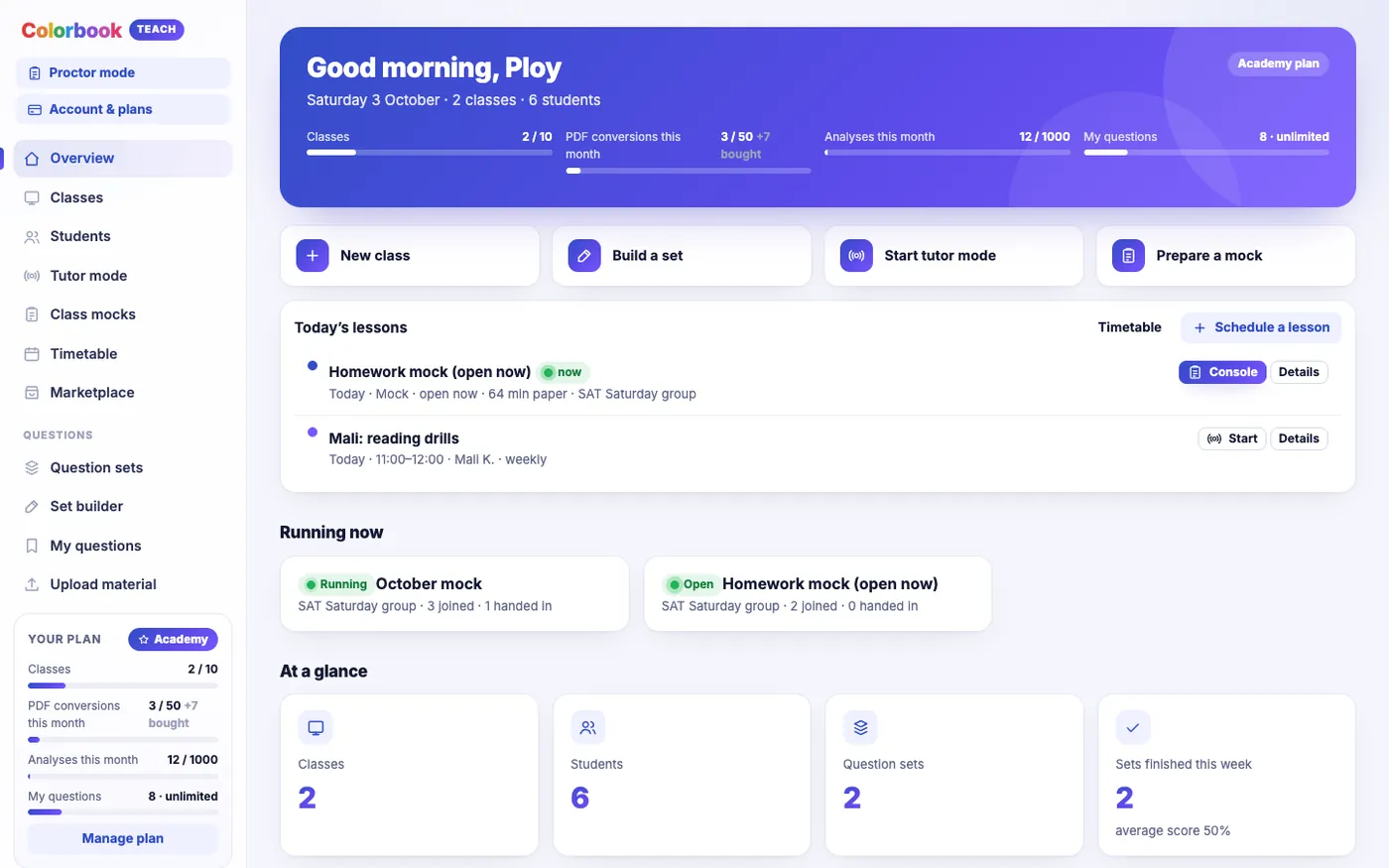
Colorbook for Educators (also called Colorbook Teach) is the teacher side of Colorbook. You load your own PDFs and worksheets, turn them into exams that run in a test screen built to match the real digital SAT, assign them to classes, and then replay exactly how each student worked each question. This guide covers what it does, what it does not do, and how teachers tend to use it in the first few weeks.
The problem it solves
The digital SAT is sat on a screen, in an app with its own layout: a passage on the left, the question on the right, a highlighter, a way to cross out answer choices, a mark-for-review flag and a built-in calculator for Math. Students who have only practised on paper meet all of that for the first time on test day.
Meanwhile, most tutors and schools have years of worksheets in PDF form that are good material but can only be handed out on paper or as a file. Colorbook for Educators joins the two: your questions, in a screen that behaves like the one students will actually use.
What it does
1. Your material becomes a test
You can write sets directly, import your own, or (on Classroom and Academy plans) convert a PDF or a photo of a worksheet into a set. You check and edit every question before anything reaches a student. Questions you keep go into My questions, your own bank, labelled by topic, so the linear-equations questions from three different worksheets end up in one place.
2. A test screen that matches the real exam
Students sit your sets in a test screen laid out like the digital SAT, including its highlighter and tools. That matters more than it sounds. Habits such as highlighting the claim in a passage, or crossing out two choices before committing, are only worth building if the screen students practise on lets them do it the same way.
3. Replays of every question
After a student submits, you can replay how they did each question: every answer they chose and changed, which choices they crossed out, what they highlighted and how long they spent. A score of 14 out of 22 tells you little. A replay showing that a student had the right answer on question 9, changed it after 40 seconds, and ran out of time on the last four tells you what to teach next. How to read a replay covers this in detail.
4. Classes and students
You organise students into classes, assign sets to a class with a due date, and see results in a gradebook. The Free plan gives you one class of up to 10 students, which is enough for a small private group; paid plans raise the number of classes and seats.
5. Colorbook AI analysis
Colorbook AI reads a student's work and writes an analysis of where they are losing marks. Coach includes a standard analysis; Classroom and Academy include a detailed one, and Academy adds analysis across a whole cohort. Treat it as a second reader that has looked at every replay, not as a verdict: it points you at patterns worth checking yourself.
6. Help building questions
Colorbook AI can also help you build questions, for example drafting variations on a question type you want more practice in. As with converted PDFs, you review and edit everything before it is used. Nothing reaches a student until you have accepted it.
Beyond homework sets
Once your material is in, the same screen supports more than homework:
- Class mocks (from Coach): everyone starts together from a lobby, or each student starts within a window you set. Timing follows each student's accommodations. See running a class mock.
- Live tutoring (from Coach for 1:1; Classroom adds whole-class mode): you see the student's screen, highlights and pointer live, and can put questions on their screen. See tutor mode.
- The Colorbook question bank (from Coach): the full bank of questions written in the real test format, for when your own material runs out on a topic.
A typical first fortnight
- Day 1. Create a class and add your students. Pick one worksheet you know well, around 15 to 20 questions, and turn it into a set.
- Day 2. Check every question in the editor: answer key, choices, any diagram. Assign it with a due date about a week out.
- Day 8. Open the gradebook. Do not start with the scores; start with the question most students got wrong and replay three students on it.
- Day 9. Teach to what the replays showed. If most students crossed out the right answer early, that is a different lesson from most students never reaching the question.
- Day 14. Assign a second set on the same topic and compare.
What to watch for
- Converted questions need checking. Converting a PDF saves typing, but scans can misread a minus sign or a fraction. Check every question against the original before assigning.
- Do not over-assign at the start. One short set with a careful replay review teaches you more about a class than five sets you only glance at.
- Label topics as you go. A labelled bank of 150 questions is far more useful than an unlabelled one of 500, because labels are what let you build a topic set or a mock pool later.
Who it suits
A private tutor with a handful of students can run everything on the Free plan: one class of 10, your own sets, replays and a gradebook. A tutor who wants mocks, the full question bank and 1:1 live sessions is the Coach plan's audience. Schools and tutoring centres with several classes and teachers are what Classroom and Academy are for. Choosing a plan sets out the differences and prices.
Questions teachers ask
- Is Colorbook for Educators the same as Colorbook Teach?
- Yes. Colorbook Teach is the same product: the teacher side of Colorbook, where you build sets, run classes and mocks, and review student work.
- Do I have to use the Colorbook question bank?
- No. You can work entirely from your own material. The full Colorbook question bank is included from the Coach plan for when you want more questions on a topic.
- Is it free?
- There is a Free plan with one class of up to 10 students, your own sets, replays, a gradebook and a personal question bank of up to 200 questions. Paid plans add more classes, the question bank, mocks and live tutoring.
- Is Colorbook affiliated with the College Board?
- No. Colorbook is independent. Its test screen is built to match the digital SAT so that students practise in a familiar layout.
Bring your own worksheets, run them in a digital SAT-style test screen, and see how every student worked.
See Colorbook for EducatorsMore for teachers
- From PDF to practice set: turning worksheets into tests students can sit
- Running a class mock: starting together, scheduling, question sources and timing
- Tutor mode: teaching live on the student's own test screen
- Replays and analysis: seeing how students worked, not just what they scored
- Choosing a plan: Free, Coach, Classroom or Academy